
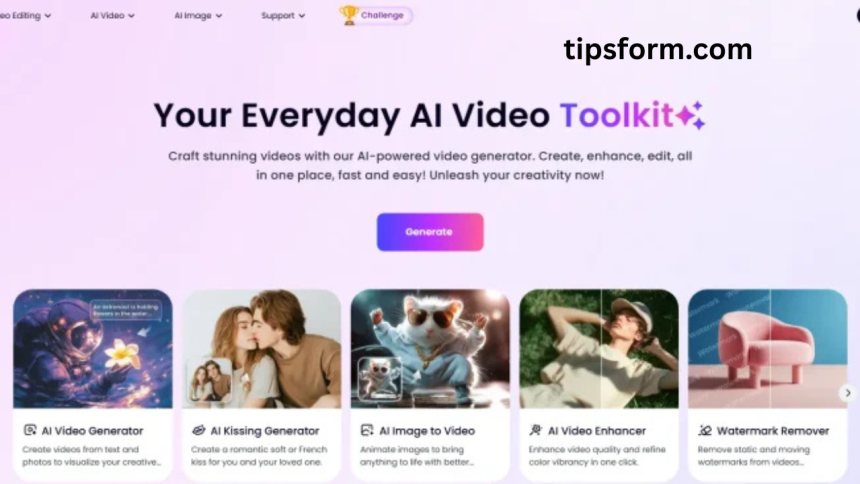
In today’s digital-first world, visual content is one of the most powerful ways to communicate a message. Video, in particular, dominates social media platforms, marketing strategies, and educational content. However, creating stunning, professional-looking videos often demands technical skills, expensive software, and hours of editing. This is where Clipfly steps in as a game-changer.
Clipfly is an AI-powered video generator that allows users to craft beautiful visual stories with minimal effort. Whether you’re a content creator, business owner, educator, or hobbyist, Clipfly promises to simplify the process of video creation using artificial intelligence, automation, and easy-to-use design tools.
This review dives deep into what Clipfly offers, how it works, its strengths and limitations, and how it stacks up against other video creation platforms.
What Is Clipfly?
Clipfly is a cloud-based, AI-driven platform that enables users to create, edit, and publish videos with ease. Its interface is designed to be intuitive, making it accessible to beginners while still offering tools and features that experienced creators can appreciate.
At its core, Clipfly leverages artificial intelligence to analyze inputs—such as text prompts, video clips, and images—and automatically generates video sequences that are visually cohesive and engaging. From transitions and background music to captions and effects, Clipfly automates many aspects of the editing process.
Users can customize templates, use AI-generated voiceovers, access a stock media library, and add branding elements—all without needing prior experience in video editing.
Who Should Use Clipfly?
Clipfly is suitable for anyone who wants to create impactful videos quickly. Here are some user groups who would benefit the most:
- Social Media Influencers: Individuals who need to produce attention-grabbing content consistently for platforms like TikTok, Instagram, and YouTube.
- Digital Marketers: Professionals looking to craft promotional videos, brand storytelling content, or explainer videos that convert viewers into customers.
- Small Business Owners: Entrepreneurs who want to market their products or services with visually compelling content without hiring a video team.
- Educators and Trainers: Teachers and coaches who create instructional videos, tutorials, or e-learning materials.
- Freelancers and Agencies: Creative professionals offering content creation services to clients in various industries.
Key Features of Clipfly
Clipfly’s impressive suite of features enables it to stand out in the crowded video editing market. Let’s break down some of the platform’s most compelling capabilities:
AI Video Generator
The flagship feature of Clipfly is its AI video generation tool. Simply input your ideas, script, or media assets, and the AI assembles a coherent and engaging video. It handles timing, music syncing, transitions, and even voiceovers.
Drag-and-Drop Editor
For those who prefer a hands-on approach, Clipfly offers a visual editor that is simple and straightforward. You can move elements around, add text, trim clips, and tweak layouts with no prior experience.
Templates Library
Clipfly includes a wide array of templates for different use cases: business promos, social media reels, educational content, product showcases, and more. These templates help streamline your workflow while maintaining a professional finish.
Stock Media Access
Users have access to a vast library of royalty-free stock images, videos, and music tracks. This is useful for users who don’t have original footage or want to add polished visuals to their work.
Voiceovers and Text-to-Speech
If you don’t want to record your own voice, Clipfly’s built-in text-to-speech tool can generate natural-sounding narration in multiple accents and languages. You can also upload custom voiceovers.
Automated Subtitles
Clipfly’s AI can auto-generate subtitles based on your video’s audio content. You can then customize the font, placement, and timing for better readability and accessibility.
Branding Tools
You can easily incorporate your brand’s logo, color palette, and font styles. This ensures all your videos are consistent with your brand identity.
How Clipfly Works
Creating a video with Clipfly is a smooth, guided process. Here’s how a typical workflow looks:
Step One: Choose a Template or Start from Scratch
You can start with a pre-designed template or a blank canvas. Templates help jumpstart your project, while starting from scratch offers maximum flexibility.
Step Two: Input Your Media or Script
Upload your video clips, images, audio files, or simply paste in your script. Clipfly’s AI can use this input to generate scenes, voiceovers, and visual layouts.
Step Three: Customize and Edit
Use the editor to tweak visuals, timing, transitions, and more. You can drag and drop elements, apply filters, add stickers, and change fonts as needed.
Step Four: Preview and Export
After editing, you can preview your project to make sure everything looks and sounds perfect. Then, export the final video in your desired resolution and format.
Strengths of Clipfly
Time Efficiency
Clipfly dramatically reduces the time required to create high-quality videos. What used to take hours or days can now be done in minutes.
No Learning Curve
The platform’s user-friendly interface makes it ideal for beginners. You don’t need to understand complex timelines or editing jargon.
AI-Powered Intelligence
Its artificial intelligence capabilities allow for automated suggestions, smart edits, and even creative input like choosing background music that fits the mood of your story.
Cloud-Based Convenience
Since Clipfly operates entirely in the cloud, you don’t need to download any software. You can work from any device with internet access.
Versatile Output
Whether you need videos for social media, websites, presentations, or ads, Clipfly delivers versatile formats and resolutions.
Limitations of Clipfly
While Clipfly is a powerful tool, it’s not without a few limitations:
Limited Customization for Advanced Users
Highly experienced editors might find the customization tools somewhat basic compared to traditional platforms like Adobe Premiere or Final Cut Pro.
Internet Dependency
Because Clipfly is cloud-based, a stable internet connection is required. Offline editing is not an option.
Branding on Free Plan
The free version of Clipfly may include watermarks or limitations on export quality. Paid plans are required for fully branded, high-resolution exports.
Occasional AI Imperfections
While AI performs well most of the time, there are occasional mismatches in scene suggestions, subtitle timing, or voiceover tone. Manual adjustments may still be needed.
Comparison with Other Video Creation Tools
Let’s see how Clipfly stacks up against some popular alternatives:
Clipfly vs. Canva Video
- Canva is great for simple animated videos and social graphics.
- Clipfly offers more automation and a deeper AI integration for video storytelling.
Clipfly vs. InVideo
- Both platforms use AI to help generate video content.
- Clipfly emphasizes speed and simplicity, while InVideo provides more robust editing options for professionals.
Clipfly vs. Adobe Express Video
- Adobe Express is part of Adobe’s lightweight suite but lacks Clipfly’s advanced AI.
- Clipfly provides more automation and requires less creative input from the user.
Use Cases for Clipfly
Social Media Marketing
Create short, engaging videos for Instagram, TikTok, YouTube Shorts, and Facebook. Use AI to match trends, music, and themes.
Product Demos
Show off your products or services in an appealing and informative format. Include voiceovers and motion graphics to enhance viewer engagement.
Tutorials and How-To Videos
Use text, visuals, and narration to break down complex information into digestible content. Perfect for e-learning and educational channels.
Event Promotions
Design stunning promotional videos for events, sales, webinars, or announcements. Add countdown timers, highlights, and calls-to-action.
Pricing and Plans
Clipfly offers both free and premium subscription tiers. While the free version is useful for testing out the platform, upgrading unlocks more capabilities, such as:
- High-definition exports
- Removal of watermarks
- Access to premium templates
- Larger cloud storage
- Enhanced AI features
Subscription options are available for individuals, teams, and enterprise-level users, offering flexibility for different needs and budgets.
Customer Feedback and Testimonials
Many users appreciate Clipfly’s ease of use, speed, and AI features. Here’s a summary of what real users say:
- “As a solo creator, I can now publish videos every day without getting overwhelmed.”
- “My clients are impressed with the videos I produce—and I barely spend any time editing!”
- “The templates make it super easy to create content for my online shop. Sales have improved since I started using video more regularly.”
- “I love how it automatically adds subtitles—makes my content more accessible.”
Common feedback for improvement includes better voice customization and more advanced editing layers for power users.
Tips for Getting the Most Out of Clipfly
- Start with a Script: Even if you’re using templates, having a clear idea of what you want to say helps the AI generate more accurate scenes.
- Use High-Quality Media: Even though the platform can enhance visuals, starting with good-quality clips or images makes a big difference.
- Leverage Templates: They’re optimized for engagement and save a lot of time.
- Keep It Concise: Especially for social media, short and impactful videos tend to perform better.
- Experiment with Voices: Try different voiceover tones and accents to see what resonates most with your audience.
Frequently Asked Question
What is Clipfly and how does it work?
Clipfly is an AI-powered video creation platform that allows users to create professional-quality videos quickly. It uses artificial intelligence to generate scenes, voiceovers, transitions, and subtitles based on user input like text, images, or video clips.
Do I need editing skills to use Clipfly?
No prior video editing experience is needed. Clipfly features an intuitive drag-and-drop editor and smart templates that make video creation simple and accessible for beginners.
Can I use my own media in Clipfly videos?
Yes, users can upload their own video clips, images, music, and voiceovers. Clipfly also provides access to a stock library if you don’t have original footage.
Is Clipfly suitable for business and marketing use?
Yes, Clipfly is an excellent tool for creating promotional videos, brand stories, product demos, and social media ads. Its AI features help businesses produce high-quality content quickly and efficiently.
Does Clipfly work on mobile devices?
Clipfly is cloud-based and accessible through web browsers, making it usable on desktops, laptops, and most tablets. A mobile-optimized interface may vary depending on your device.
Are there watermarks on free Clipfly videos?
Videos created using the free version of Clipfly may include watermarks and limited export quality. Upgrading to a paid plan removes watermarks and unlocks premium features.
Conclusion
Clipfly offers a fast, intuitive, and AI-powered solution for creating professional-quality videos without the need for advanced editing skills. Whether you’re a creator, marketer, or small business owner, it simplifies video production with smart automation and easy customization. Its blend of speed, quality, and user-friendliness makes it a valuable tool for anyone looking to craft stunning visual stories quickly and effectively. Clipfly truly empowers creativity in the digital age.