
In today’s digital world, system management tools play a very important role for users who want more control over their computers. One such popular utility is EasyBCD, which is widely used for managing boot entries and handling multiple operating systems on a single device. But a common question many users ask is whether EasyBCD is actually trusted or not. Understanding its reputation, safety, and real user experiences can help you decide if it is the right tool for your system.
What is EasyBCD and Why Do People Use It?
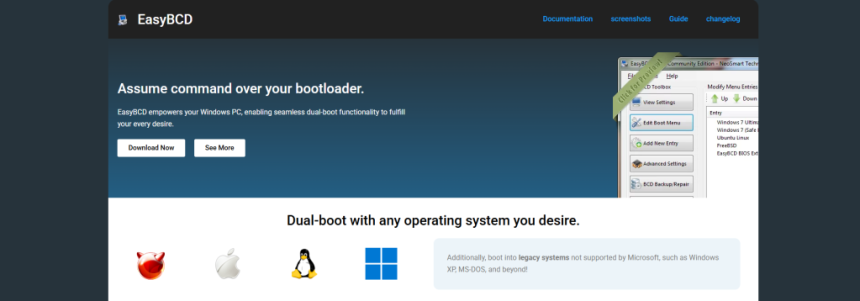
EasyBCD is a boot configuration tool designed for Windows users who want to manage boot menus without dealing with complex command-line processes. It is mainly used for dual-boot or multi-boot setups, where users install more than one operating system like Windows and Linux on the same computer.
Instead of manually editing system boot files, users can use EasyBCD’s graphical interface to add, remove, or modify boot entries. This makes it especially useful for beginners who do not have advanced technical knowledge but still want to experiment with different operating systems or recovery environments.
The software has been around for many years, and its long presence in the market has helped it build a reputation among tech communities. However, trust is not just about popularity; it also depends on safety, reliability, and user experience.
Trust and Reputation Among Users
When it comes to trust, EasyBCD generally has a positive reputation among users who are familiar with system-level tools. Many people in tech forums and communities consider it a reliable utility for managing boot configurations in Windows environments.
One reason for this trust is that the software does not perform hidden or malicious activities. It is a straightforward system tool that modifies boot entries based on user input. Unlike suspicious third-party applications, it does not attempt to access personal files or perform background spying actions.
However, trust also depends on how carefully the user handles the tool. Since EasyBCD works directly with boot configuration data, incorrect settings can lead to boot issues. This is not a flaw in the software itself but rather a reflection of how sensitive system-level tools can be.
Safety and Reliability Considerations
From a safety perspective, EasyBCD is considered safe when downloaded from legitimate sources. Users should always ensure they are using the official or trusted distribution channels to avoid modified or unsafe versions.
The software interacts with critical system files related to boot management, which means any changes made should be done with caution. While EasyBCD provides a user-friendly interface to reduce the risk of manual errors, it still requires users to understand what they are doing before applying changes.
Reliability-wise, EasyBCD has been tested across multiple Windows versions and continues to function effectively for most boot configuration tasks. Many users report stable performance when using it for dual-boot setups, recovery boot entries, and system repair configurations.
User Experiences and Feedback
User feedback plays an important role in determining whether a software is trusted. In the case of EasyBCD, most feedback is positive, especially from users who need a simple solution for managing multiple operating systems.
Many users appreciate its clean interface, ease of use, and ability to simplify complex boot settings. Instead of dealing with command-line boot configuration tools, they can achieve the same results with a few clicks.
On the other hand, some users express caution, especially those who are not fully aware of how boot systems work. In rare cases, incorrect configurations can lead to boot loops or missing operating system entries. This has led some users to recommend that beginners take guidance before making changes.
Overall, user sentiment suggests that EasyBCD is trusted, but with the understanding that it should be used responsibly.
Performance and System Impact
One of the positive aspects of EasyBCD is that it does not consume system resources in a heavy way. It is a lightweight utility that only runs when needed, rather than operating continuously in the background.
Because it is not a performance-intensive application, users do not usually experience slowdowns or system lag after installation. Its impact is mainly limited to boot configuration changes rather than everyday system performance.
This also adds to its trust factor, as it does not interfere with regular computer operations once the configuration tasks are completed.
Advantages and Limitations
EasyBCD offers several advantages that make it appealing to both beginners and advanced users. It simplifies boot management, supports multiple operating systems, and reduces the need for complex manual commands. Its interface is designed to be user-friendly, which is a major reason for its popularity.
At the same time, it also has some limitations. It is not a tool for casual users who do not understand boot systems, as incorrect use can cause startup issues. Additionally, while it supports many common configurations, extremely advanced or custom setups may require manual adjustments outside the software.
These limitations do not necessarily reduce trust but highlight the importance of proper usage and understanding.
Final Verdict
So, is EasyBCD trusted by users? The answer is yes, but with conditions. EasyBCD is widely trusted in the tech community for its reliability, simplicity, and effectiveness in managing boot configurations. It has a long-standing reputation and is generally considered safe when used correctly.
However, like any system-level tool, it requires responsibility and basic technical understanding. Users who follow proper guidelines and use it carefully usually find it to be a very helpful and dependable utility.
In conclusion, EasyBCD is not only trusted by many users but also respected as a practical solution for boot management in Windows environments. Its trustworthiness is strong, but it ultimately depends on how wisely it is used by the individual.